available for new projects
UK College of Social Work
Reimagining a College Website for Program Growth
Project context
As the University of Kentucky College of Social Work expanded to include Criminal Justice degrees, the website needed to clearly represent multiple programs, attract a broader student audience, and move beyond a traditional academic aesthetic. While the existing site contained the information, it did not support discovery, differentiation, or recruitment. The project began with a Discovery Phase exploring multiple visual directions; the selected 16-bit, video game–inspired concept aligned with UK brand guidelines and evolved from a homepage exploration into a full website redesign focused on clarity, engagement, and recruitment.
Impact
Established clear parity between Social Work and Criminal Justice programs
Designed an audience-first navigation system supporting five core user groups
Created a scalable, component-based design system for future degree growth
Created a marketing-driven foundation to increase RFI and application submissions
Timeframe
April 2025 - February 2026
Role
UX/UI Designer
Team
Project Manager, Interactive Director, Art Director, Copywriter, In-house Developer, Developer Intern
Category
UI/UX
Design Goals
Design a Non-Traditional Academic Website That Drives Recruitment
01
Make Social Work and Criminal Justice equally visible and easy to understand, with room to scale to future programs.
02
Attract a more diverse prospective student audience, including those who may not traditionally consider these fields.
03
Drive RFI submissions through clearer pathways, hierarchy, and calls to action.
Problem
A Growing College Limited by a Traditional Academic Web Model
The College’s website was asked to do more than it was designed for. As new degree programs were introduced and audiences expanded, the experience continued to rely on conventional higher-education patterns that favored structure over clarity.
Key pathways were difficult to find, program options were unevenly represented, and visual hierarchy didn’t support decision-making. Instead of guiding prospective students toward exploration or application, the site created friction at critical moments and understated the College’s evolution.
01
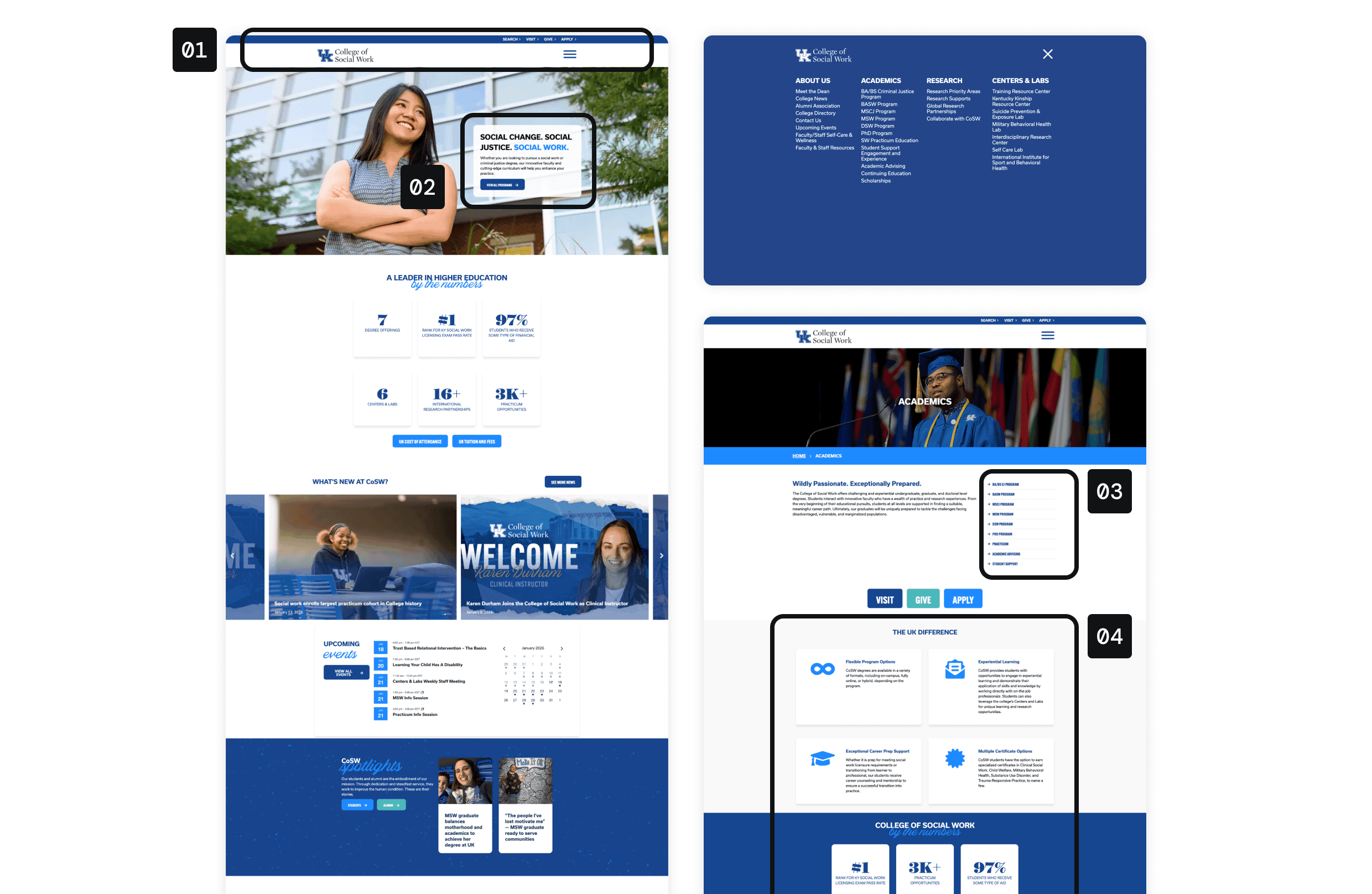
Navigation Hid Content
Most pages lived behind a hamburger menu. Primary actions shared equal hierarchy, weakening focus on Apply.
02
Programs Lacked Parity
Social Work dominated the homepage while Criminal Justice was buried in body content.
03
Programs Were Hard to Understand
Degree listings relied on abbreviations, creating confusion and accessibility issues.
04
Visual Hierarchy Diluted CTAs
Overuse of blue reduced contrast; some buttons failed accessibility standards.
Problem Discovery
How the problem surfaced
01
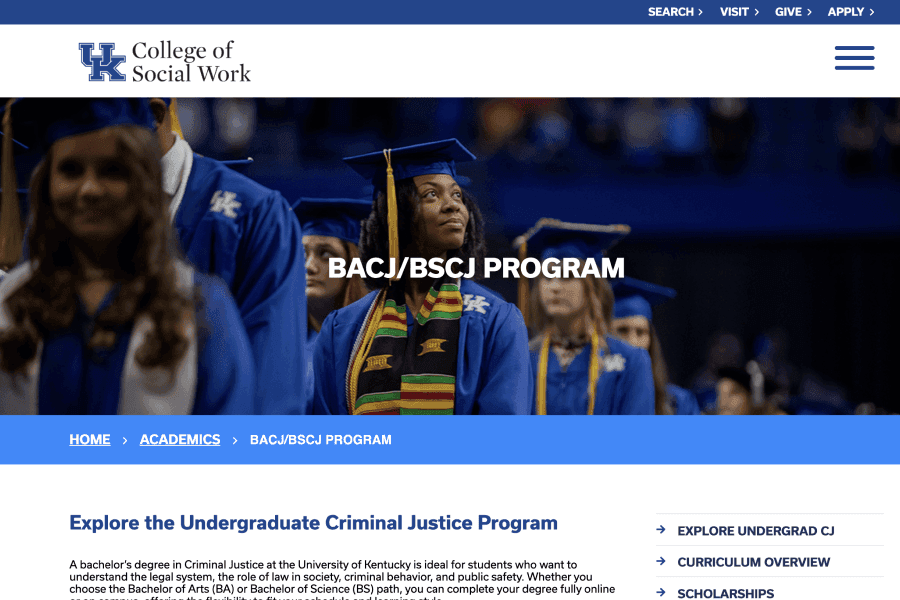
Analytics Review
We analyzed traffic, engagement time, and most-used pages to identify friction and missed opportunities, especially around programs and Centers & Labs.
02
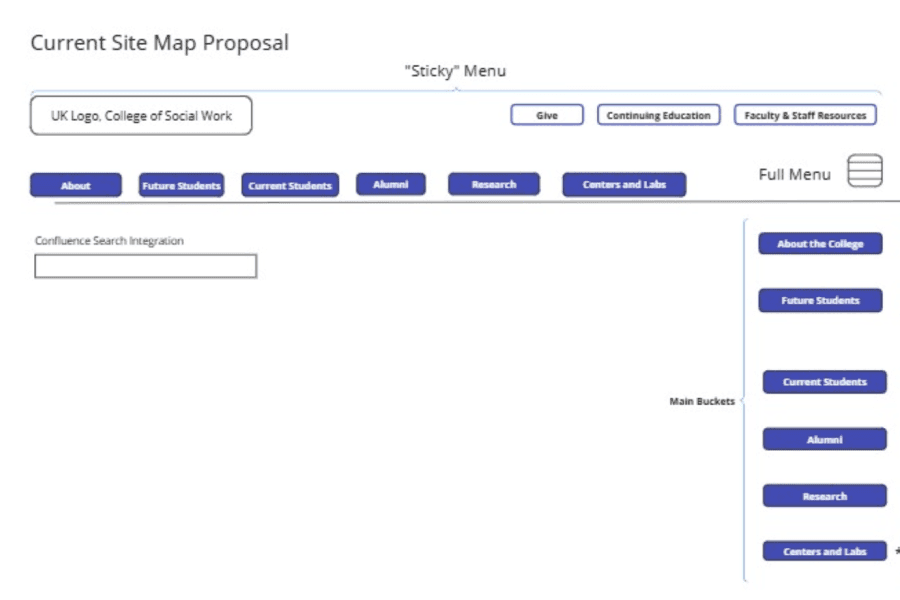
Sitemap & Content Audit
Early sitemap drafts revealed competing priorities across students, alumni, research, and faculty. As well, we questioned the importance of some pages in the hierarchy.
03
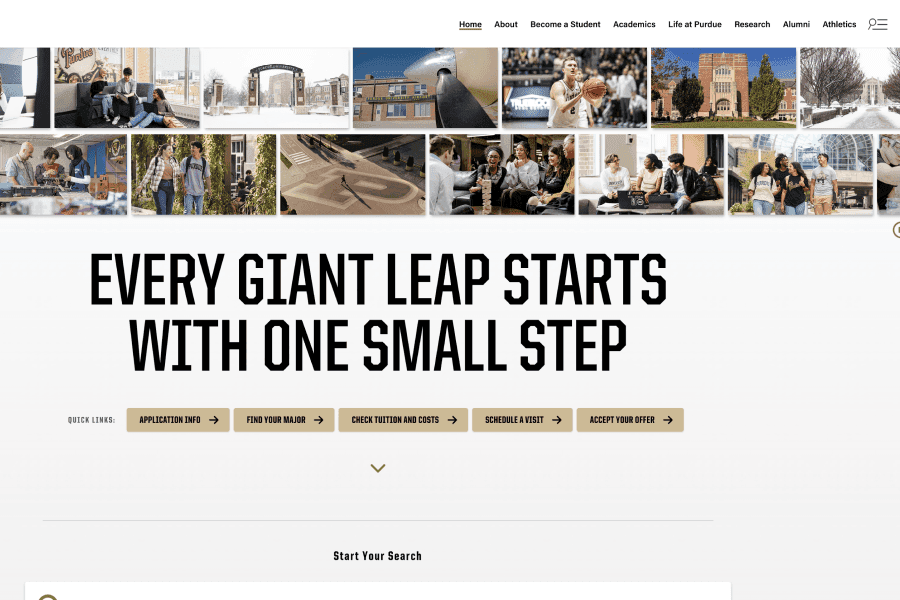
Higher-Ed Pattern Review
Peer institutions leaned heavily on conservative layouts, offering little differentiation in recruitment experiences. Pushed on "Request Information" about programs, instead of "Applying".
Design Decision 1
Using Playful, Game-Inspired Visuals to Reframe the College Experience
Before addressing navigation or structure, the site needed a visual language that clearly communicated this College is different. Entering social work or social justice means committing to real-world impact, yet these paths are often presented through predictable academic design patterns. We wanted to reframe that experience in a way that felt engaging, familiar, and intentional.
Inspired by the interactive, mission-driven world of video games, we introduced a 16-bit, pixel-inspired design system that invites exploration and choice, without sacrificing clarity or credibility. The goal was not to gamify content, but to use game mechanics as a metaphor for progression, discovery, and agency.
01
Strategic use of UK secondary colors
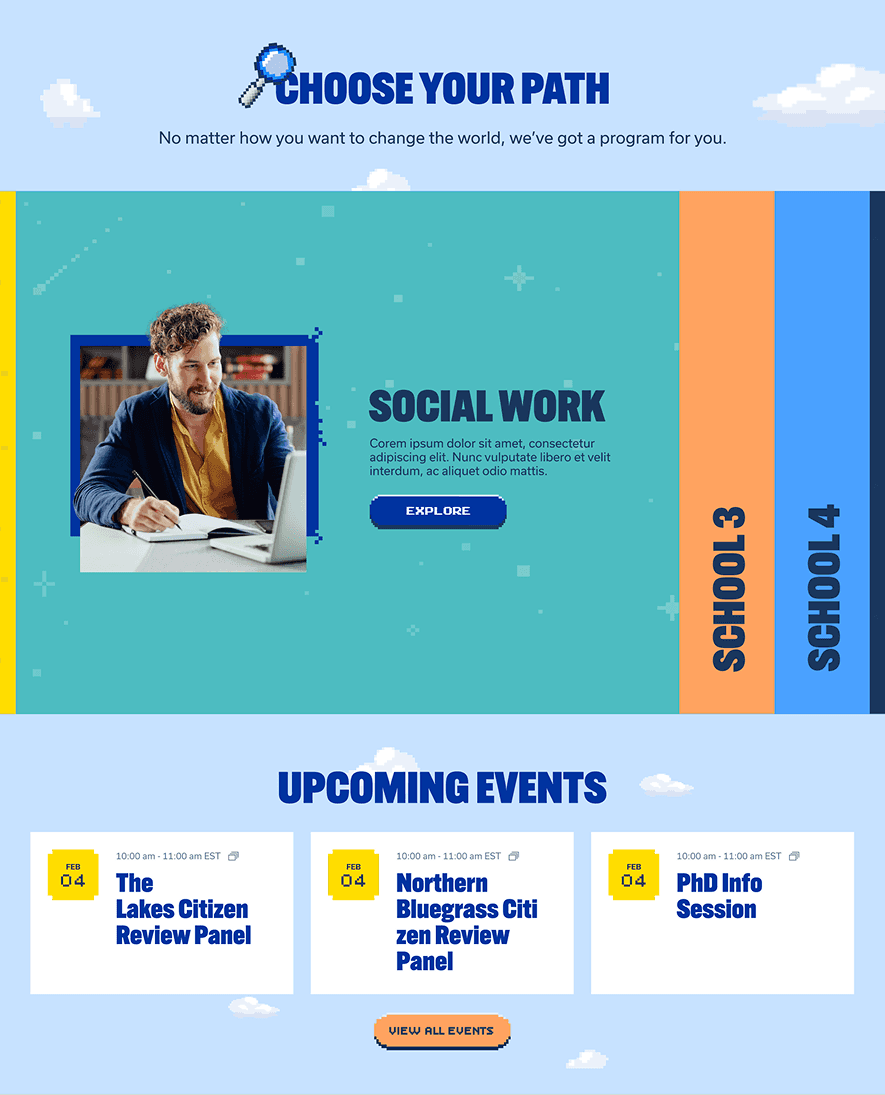
02
Pixel-inspired backgrounds, icons, elements
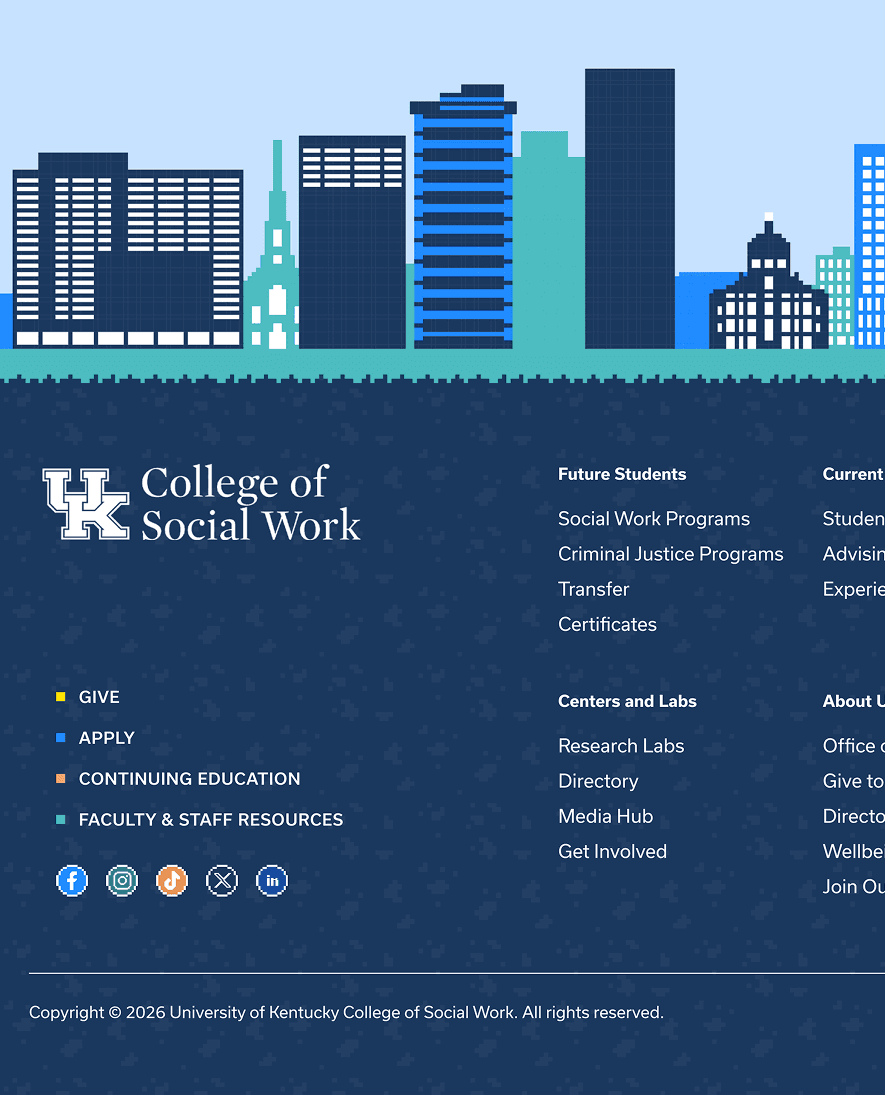
03
Typography rules supporting scanning
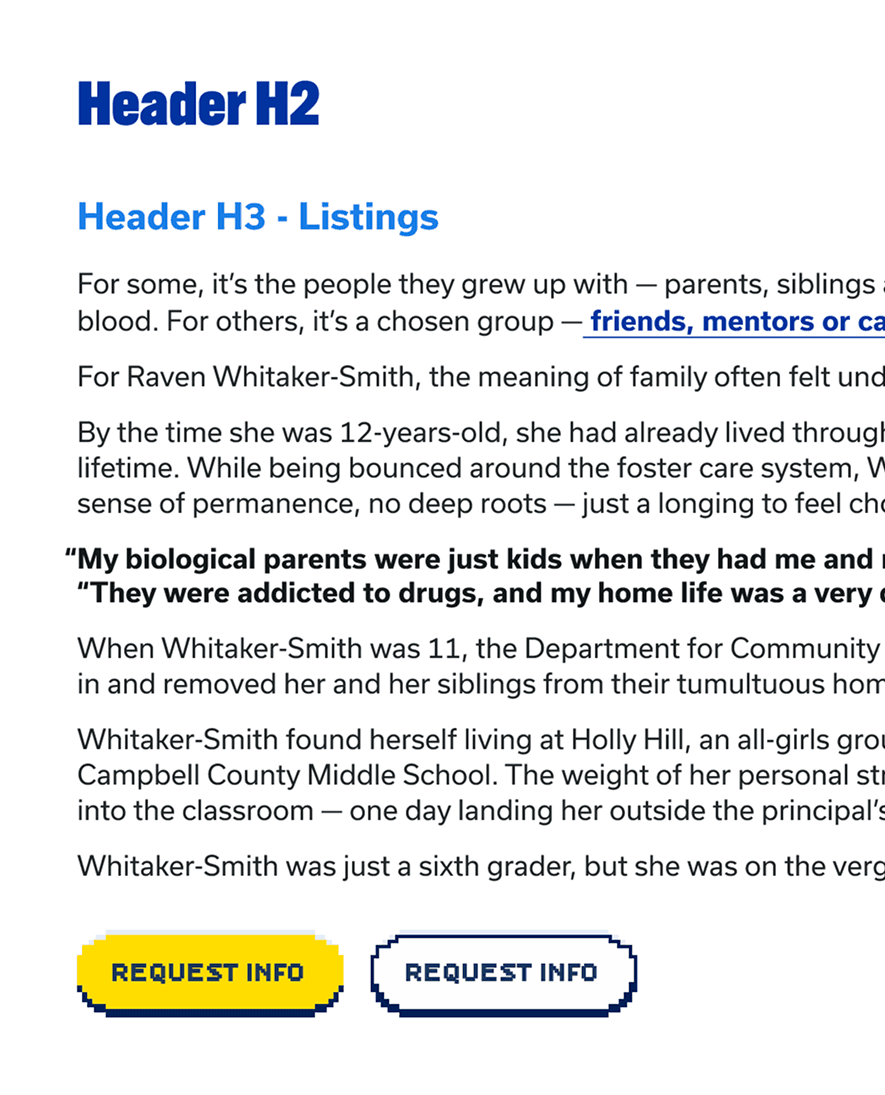
04
Primary Button with interaction
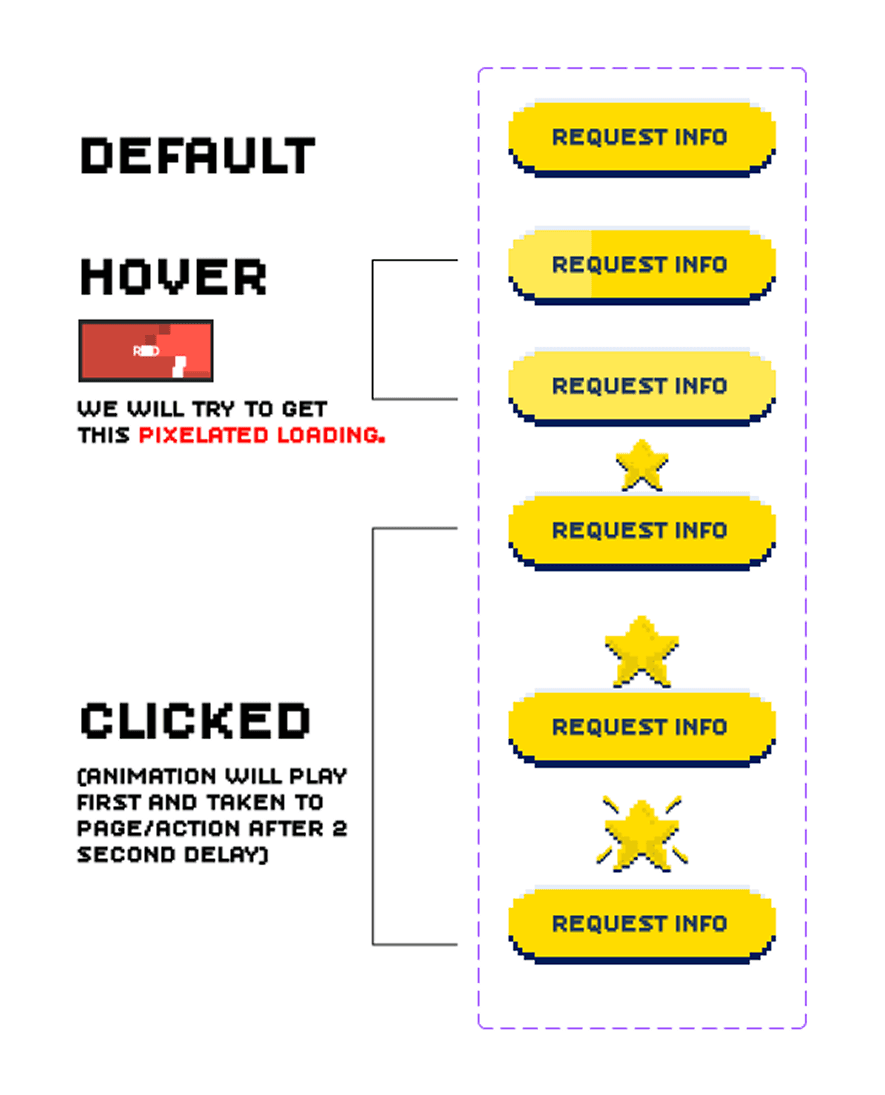
Design Decision 2
Designing Navigation Around User Intent
Navigation was a major friction point on the existing site. While the header looked clean, most content was hidden behind a hamburger menu, adding extra clicks and slowing discovery. Programs were listed using abbreviations, which reduced clarity, created accessibility and SEO issues, and assumed prior knowledge. At the same time, all utility actions carried equal weight, making it unclear which action mattered most.
I explored several navigation approaches; the options shown here represent the strongest directions. Option A introduced a primary Request Information CTA and audience-based tabs to surface key content sooner. While this improved visibility, it lacked clear interaction cues and overemphasized secondary pages not relevant to all users.
The final direction brought clarity and intent together. Audience tabs were fully integrated and color-coded, making context obvious; the primary CTA remained prominent, search was restored, and the hamburger menu was kept for full-site access. Game-inspired elements reinforced the 16-bit concept while encouraging exploration, without getting in the way of core tasks.
01
Before — Old Navigation
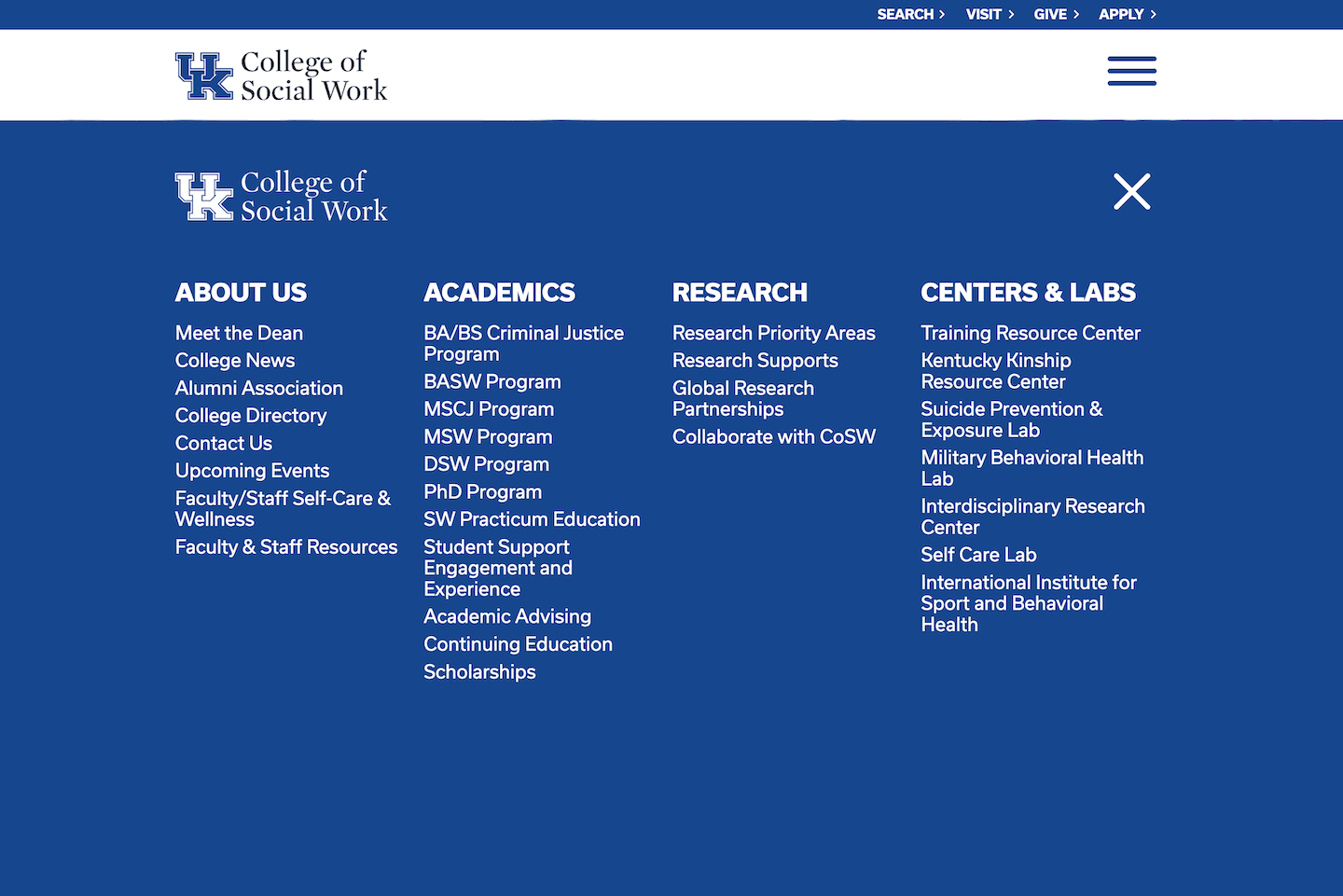
PROS
Clean, minimal header
Utility actions easy to spot
CONS
Most content hidden behind hamburger menu
Extra clicks to reach key pages
Program abbreviations reduced clarity and accessibility
No clear primary CTA
02
Option A — Initial Direction
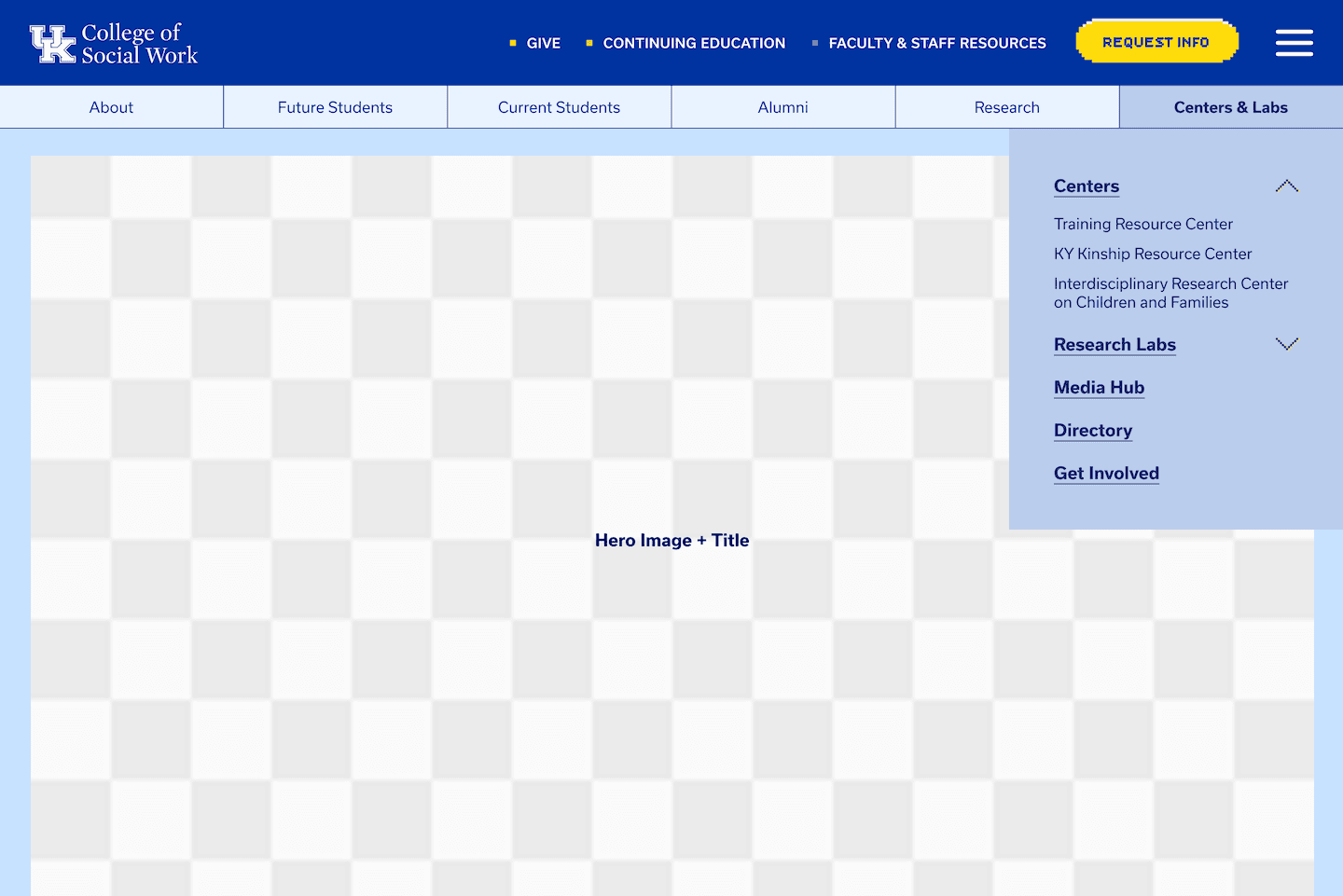
PROS
Added a clear Request Information CTA
Introduced audience-based tabs
Kept hamburger menu for full navigation
CONS
Tabs lacked clear hover or dropdown cues
Search was removed
Secondary pages overemphasized
03
Option B — Final Direction

PROS
Clear CTA hierarchy
Color-coded audience tabs reinforce context
Navigation color shifts improve orientation
Search restored in a predictable location
16-bit elements reinforce the concept
Hamburger menu retained
CONS
Higher information density for some users
Design Decision 3
A Modular Page System Built to Scale
As programs and content expanded, the site needed to scale without adding complexity. Instead of one-off layouts, we designed a component-based system that keeps hierarchy, accessibility, and personality consistent—while giving the client flexibility to build and evolve pages independently.
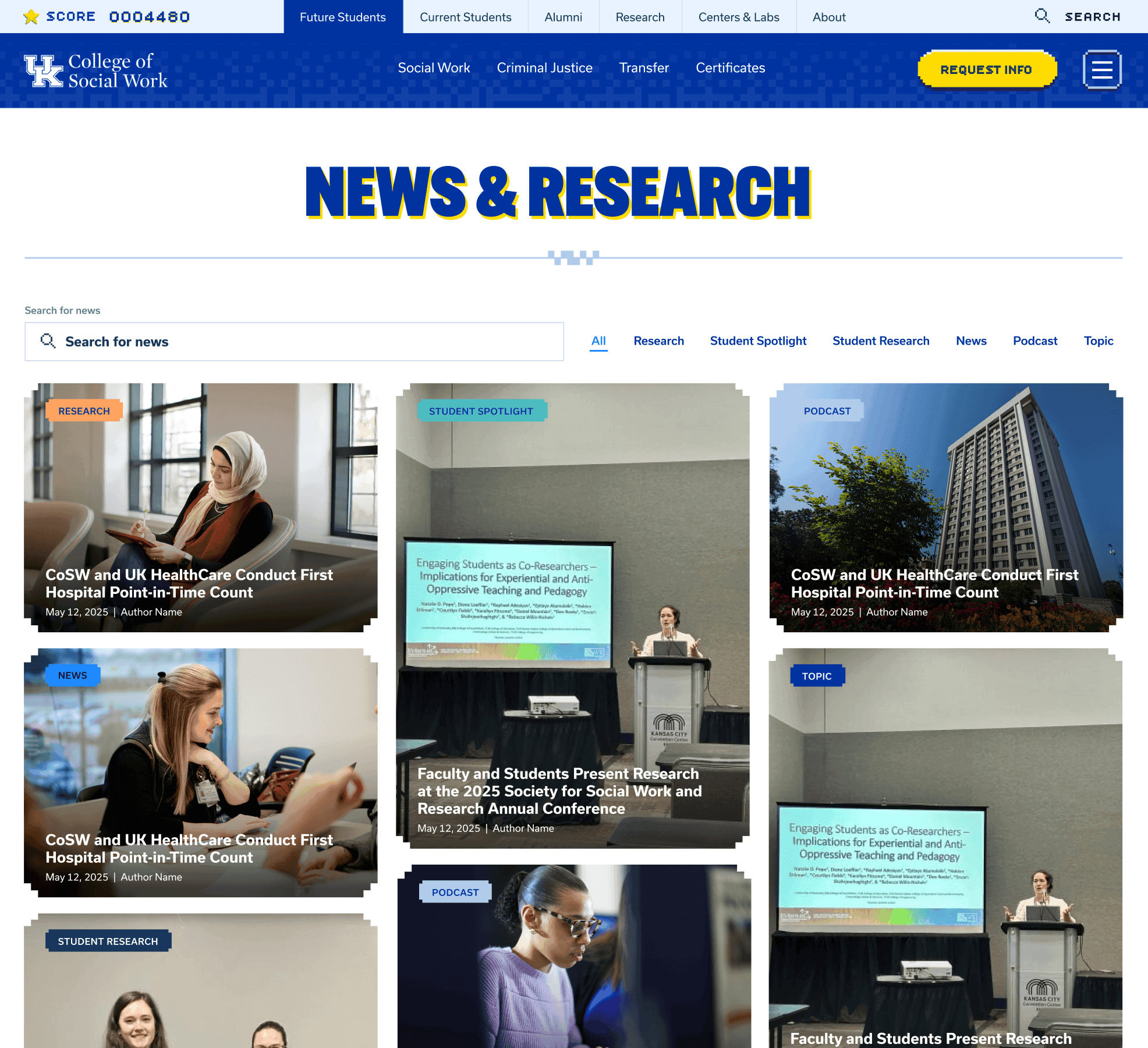
Modular News & Research
News and research content was designed as a filterable, searchable system using modular cards, with pixel styling and secondary colors helping differentiate categories while maintaining clarity.
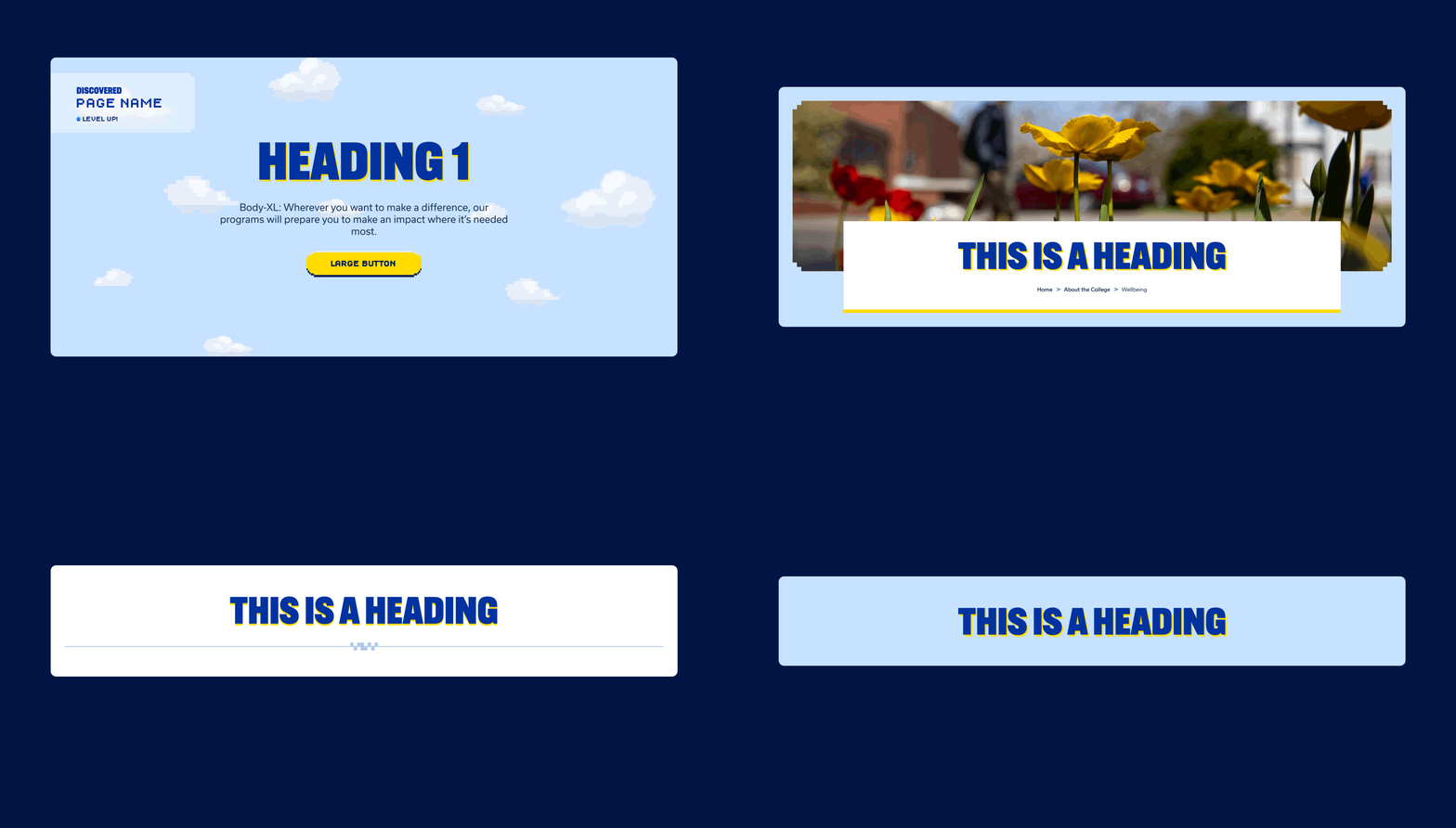
Flexible Hero System
Multiple hero variations were created to match content hierarchy, from bold cloud-based heroes on primary pages to image-led and text-only treatments for simpler content like news and events.
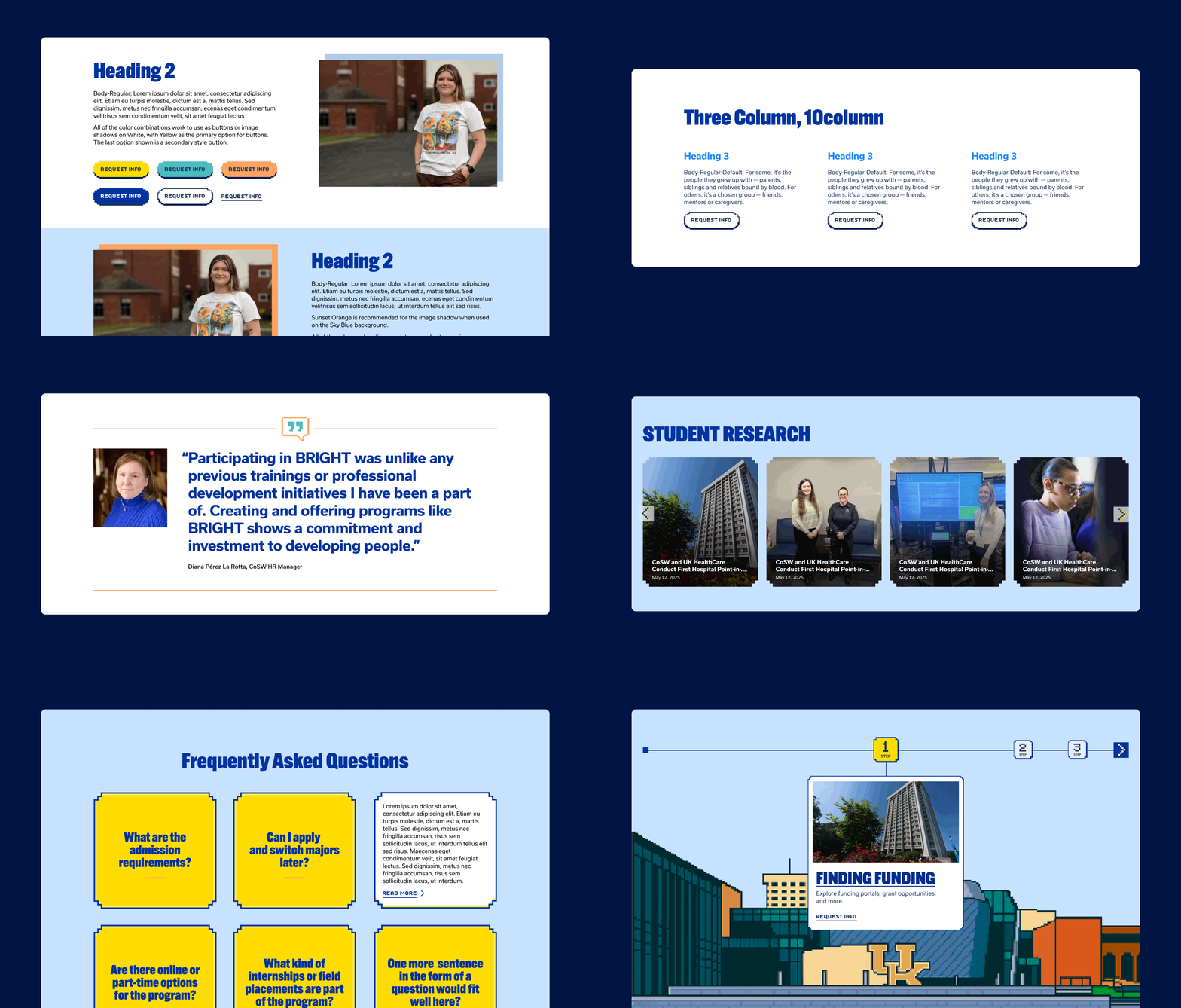
Reusable Content Components
A shared library of components—layouts, CTAs, quotes, carousels, sliders, FAQs, and timeline, allows pages to be assembled consistently without custom design work.
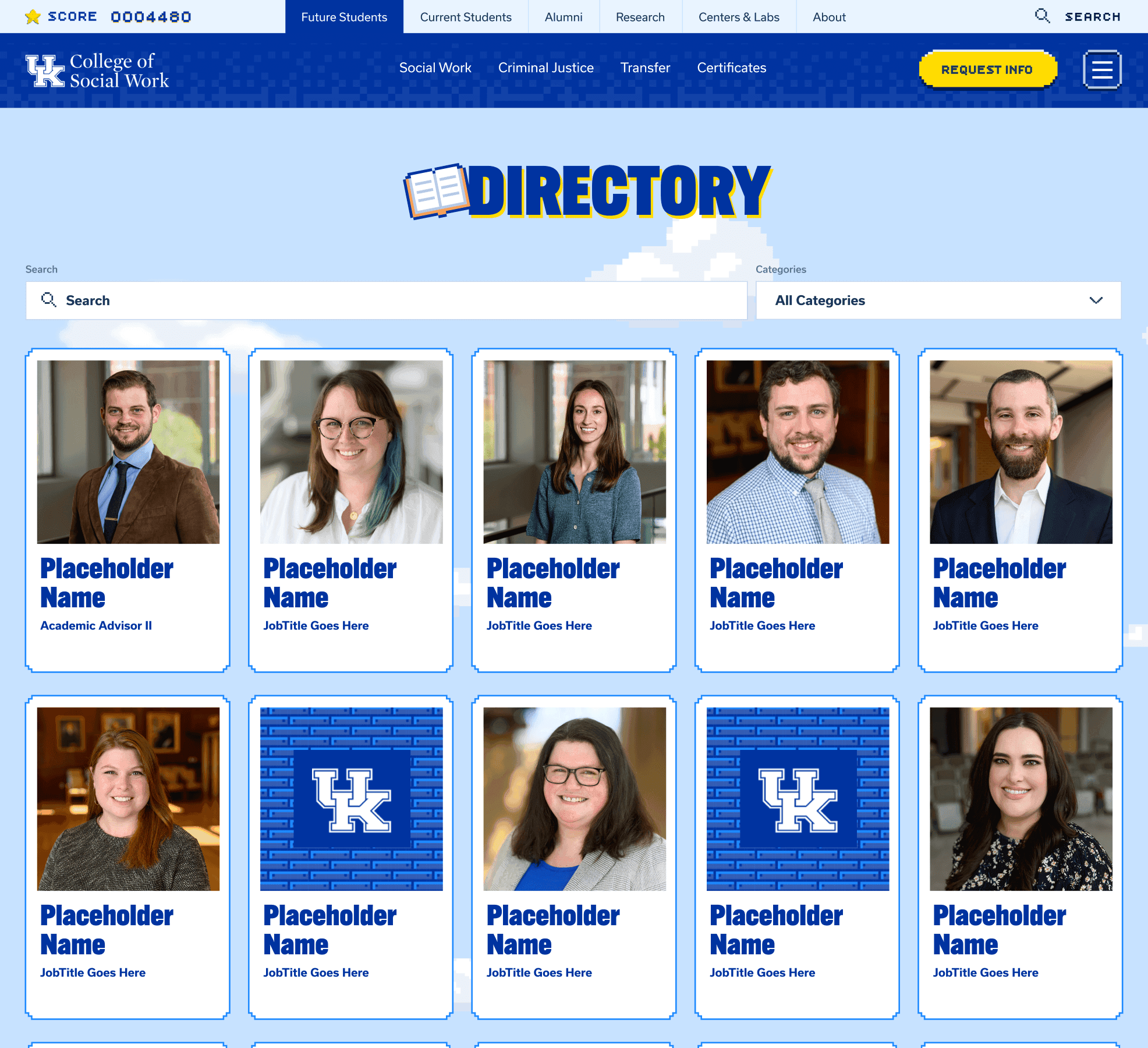
Searchable Directory
The directory was designed as a searchable, filterable system that scales for large teams, using pixel-styled cards to keep a typically dense utility page approachable.
Accessibility
Expression, With Accessibility Baked In
Accessibility was built into the design system from the start, ensuring the expressive, color-forward UI remained readable, usable, and compliant across components, backgrounds, and interaction states.
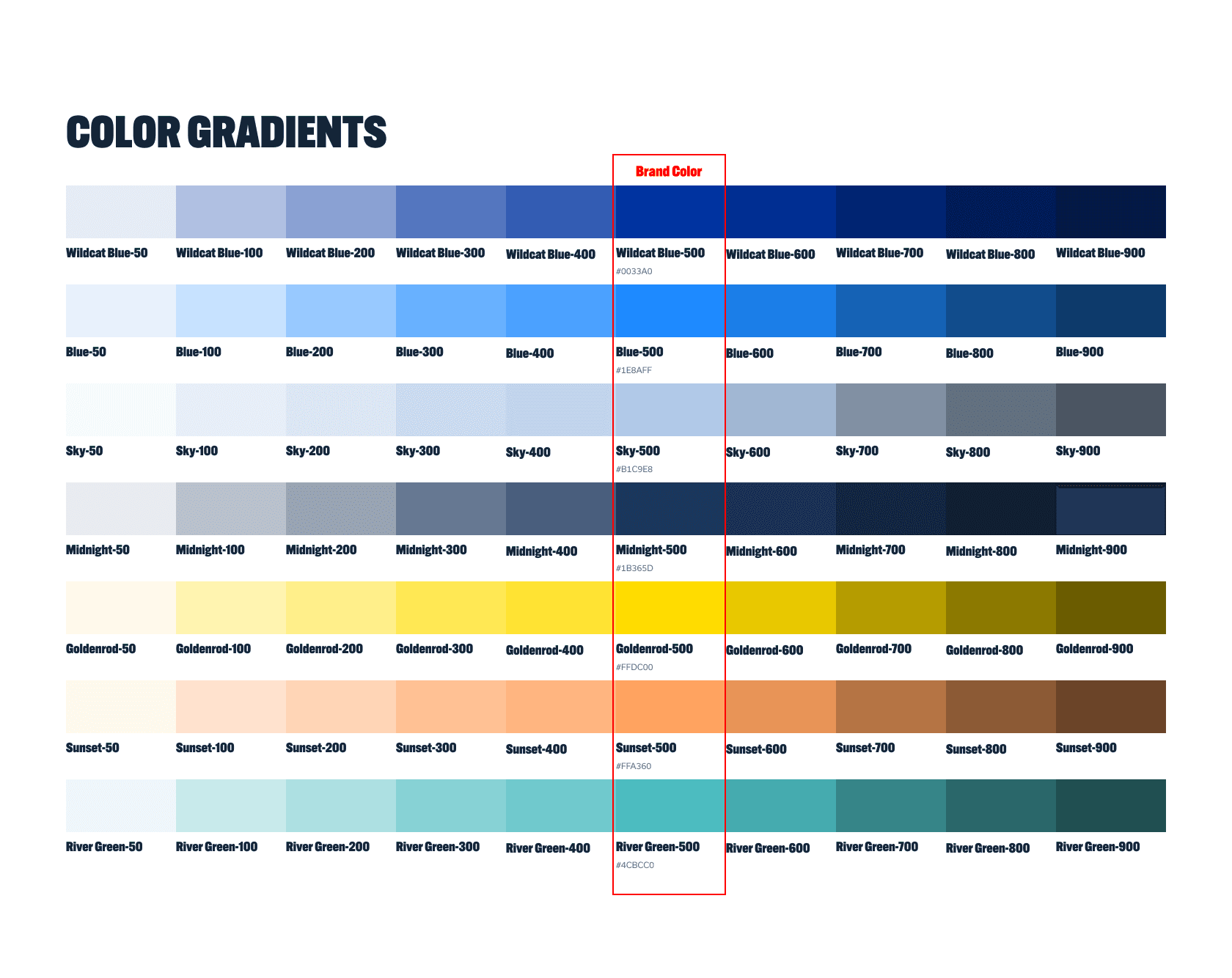
Accessible Color Scales
Brand colors were expanded into 50–900 gradients, anchored at the official 500, enabling flexible use of light and dark variants while maintaining contrast across backgrounds and text.
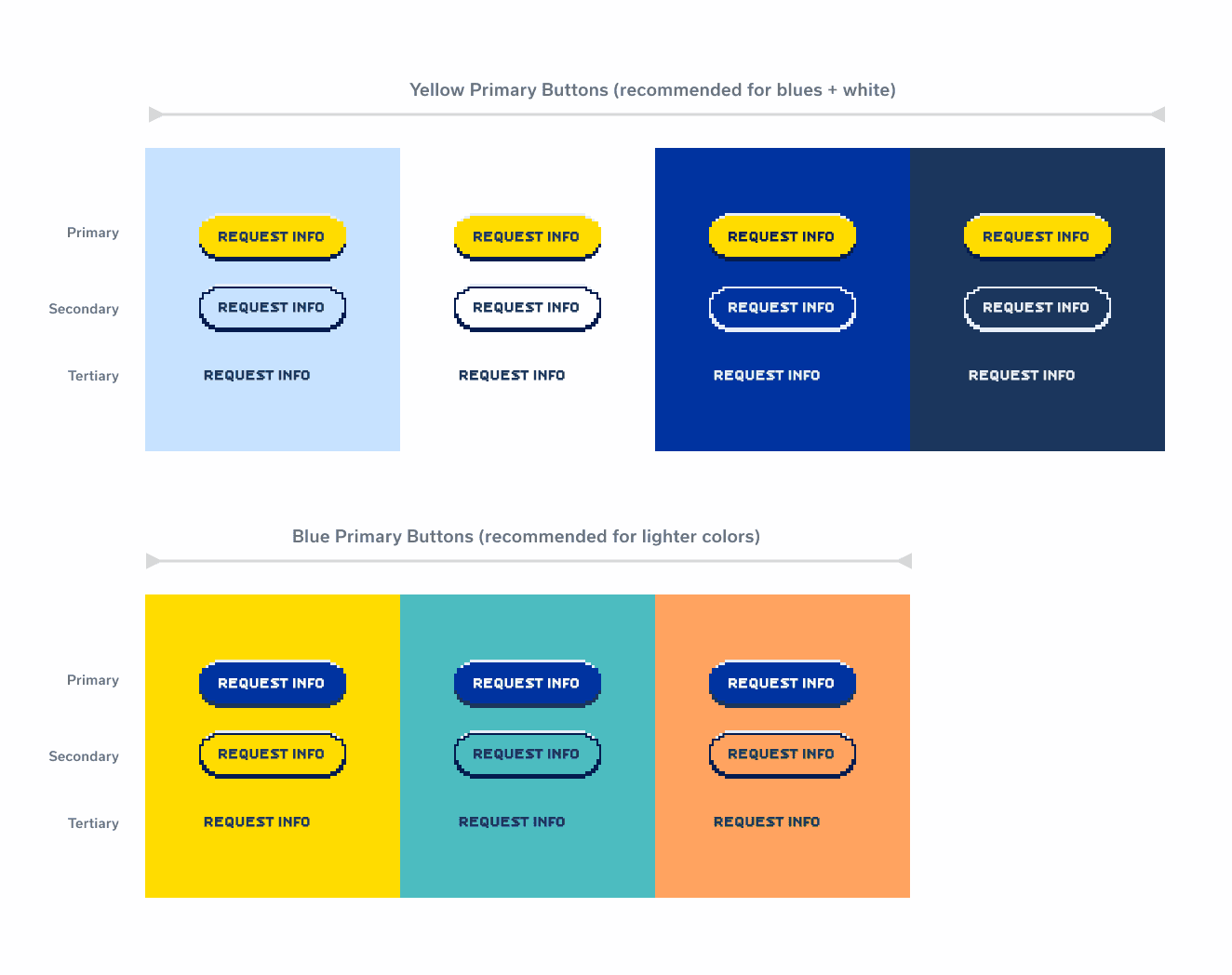
Clear Button Hierarchy
Primary, secondary, and tertiary buttons were defined to work across color contexts, preserving hierarchy and avoiding contrast issues (e.g., yellow CTAs on yellow backgrounds).
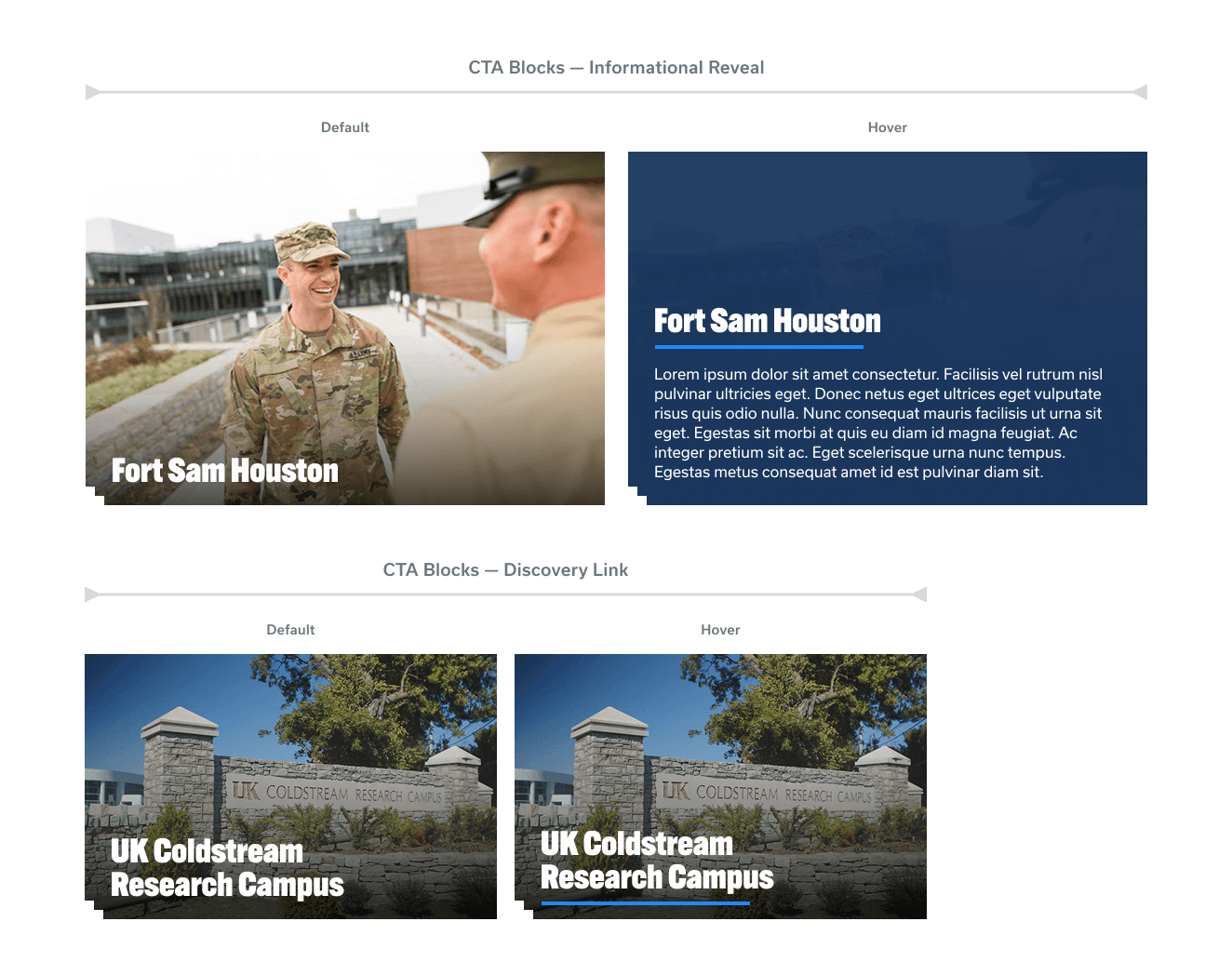
Readable CTA Blocks
CTA cards prioritize legibility through bolder typography and image overlays, ensuring copy remains readable in both default and hover states.
Collaboration
Cross-Team Alignment
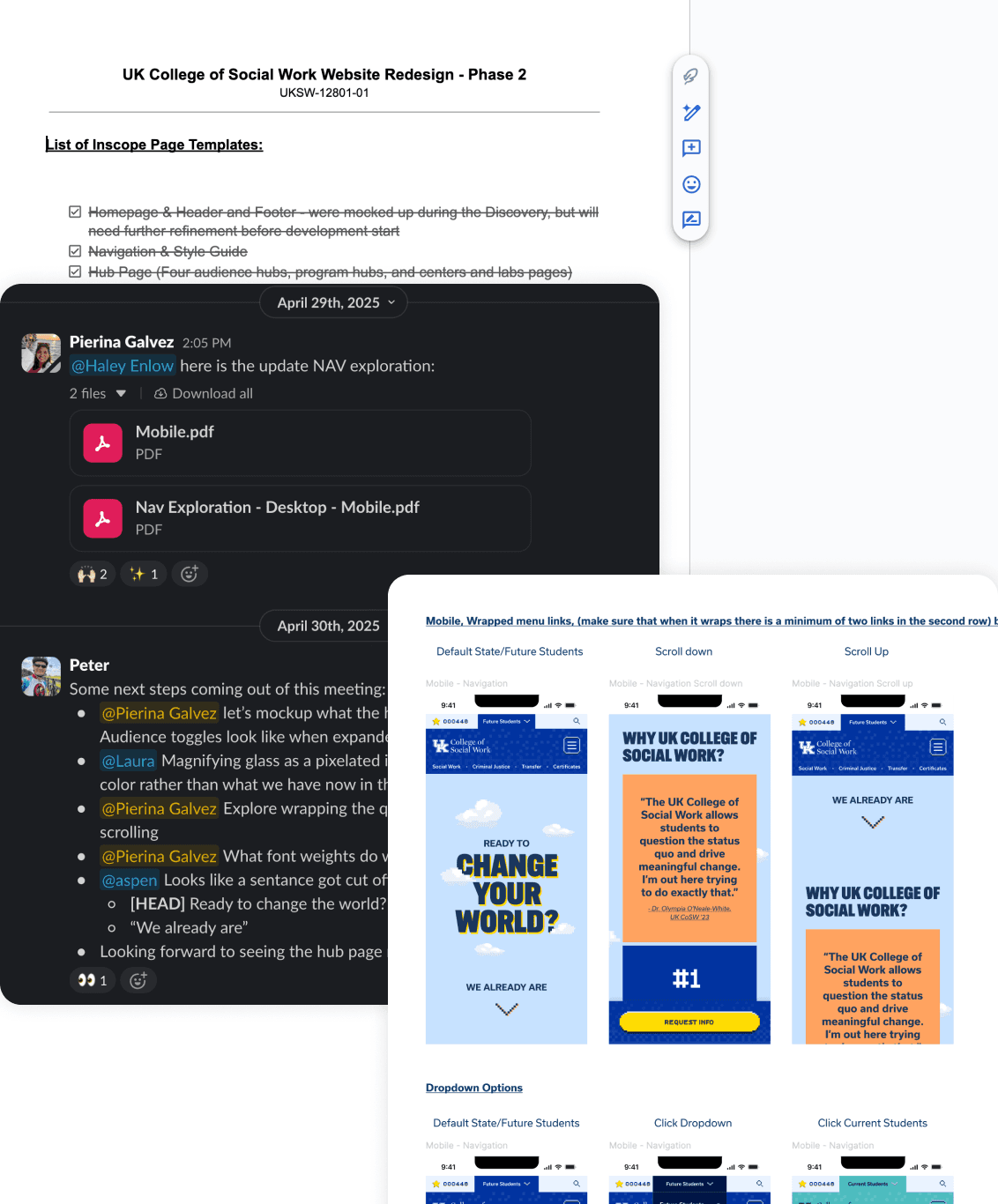
This project required ongoing alignment to maintain momentum. We met weekly as an internal team and bi-weekly with the client, adapting to delayed feedback and revisiting work as decisions took longer than expected. To stay organized, the PM maintained a shared component tracker that we updated as items were completed and approved.
I worked closely with the Art Director to align on visual direction, divide ownership, and run real-time critiques, using the tracker to flag open questions or unclear requirements. I also partnered with the Interactive Director to translate the sitemap into clear navigation, and checked in regularly with developers to validate feasibility and stay within scope and budget.
Retrospective
Key Learnings
This project reinforced how closely design decisions, timelines, and expectations are connected, especially when working across multiple stakeholders and extended feedback cycles.
Validated the need to pressure-test navigation and structure early, balancing audience pathways with program discovery before visual refinement.
Strengthened my approach to scalable system design, using modular components to support growth beyond launch.
Pushed me creatively to work within a non-traditional, game-inspired visual style and clearly articulate its purpose within real constraints.
Highlighted how delayed feedback affects momentum, QA depth, and final polish, reinforcing the importance of setting clearer expectations around iteration and validation earlier.
.say hello